The habit
How to keep wine tasting notes you’ll actually use
A practical guide to writing wine tasting notes you’ll find again — whether you use a paper notebook, Apple Notes, or a private wine journal on iPhone.
Updated 6 November 2026
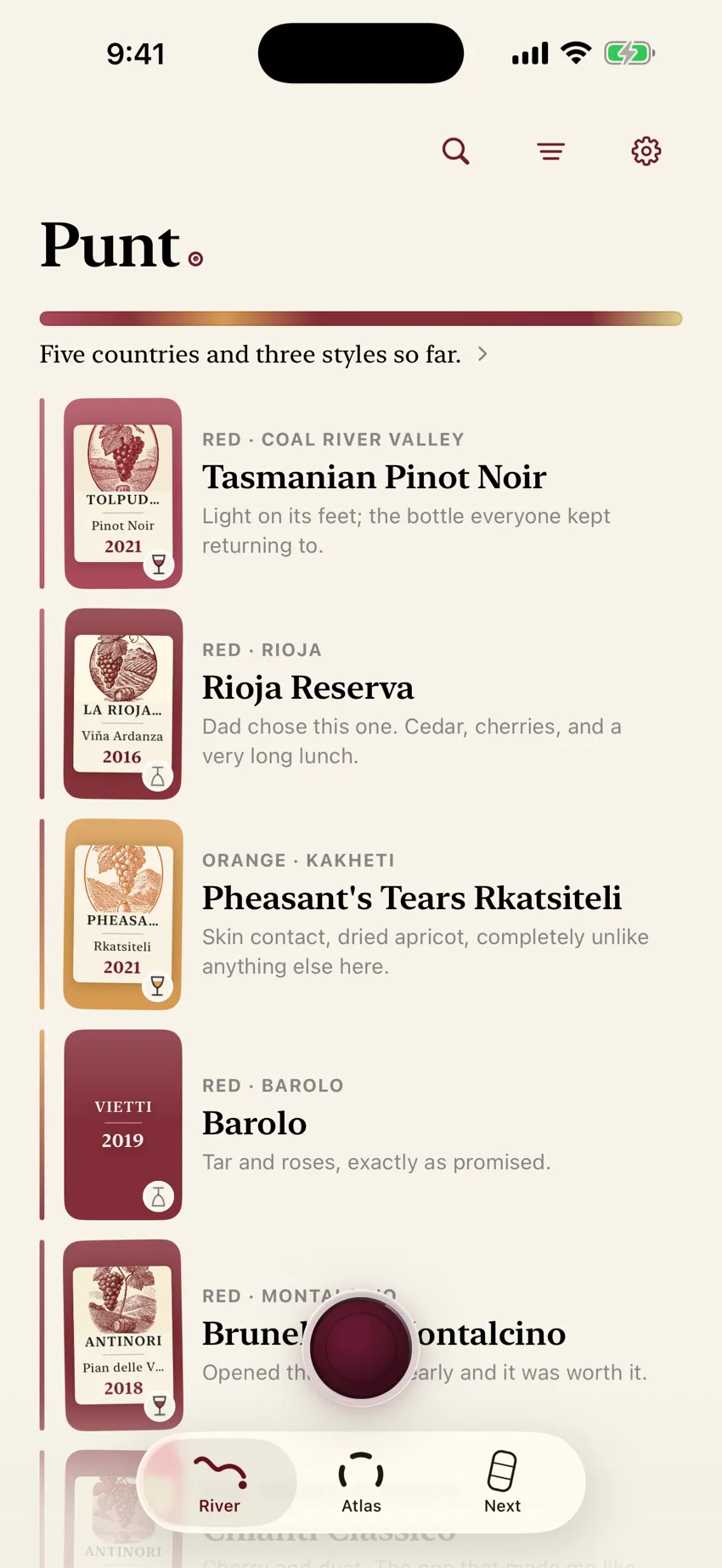
Wine tasting notes are useful when they help you recognise a bottle and remember what you thought. They are not useful when they sit unfinished in a camera roll, or when they sound like someone else’s exam answer.
You do not need a critic’s vocabulary. You need a habit you will keep, attached to the exact bottle you drank.
What a useful wine tasting note needs
A note that still works months later usually has four parts:
- Identity. Producer, wine name, and vintage, or a clear label photo.
- Occasion. Where you were, what you ate, who poured it.
- Your reaction. Loved it, liked it, or not for me is already enough.
- One sensory line in your own words. What you noticed first, how it felt, or how it changed with food.
If you only have time for two of those, take identity and reaction. A scored form with the wrong vintage is worse than a short honest line with the right label.
For finding words without copying a flavour wheel, start with wine tasting notes in your own words.
Three places people keep tasting notes
- Paper notebookYou enjoy handwriting and keep one book with you.
- Apple NotesYou want zero new apps and accept messy retrieval.
- PuntThe label, your reaction, and your words stay together.
| Method | Strengths | Weaknesses | Best when |
|---|---|---|---|
| Paper wine notebook / journal | Tangible, no notifications, nice to write in | Hard to search; easy to lose; no label photo unless you tape one in | You enjoy handwriting and keep one book with you |
| Apple Notes / camera roll | Already on your phone; free; flexible | Photos scatter; notes and labels drift apart; search is weak for “the peppery red at Elena’s” | You want zero new apps and accept messy retrieval |
| Dedicated wine journal app | Label, note, and reaction stay together; searchable | Another app to learn; check privacy and free/paid terms | You want the bottle and your words in one place |
Paper still wins the “wine journal” search results in many markets — physical notebooks from Wine Folly, Moleskine, and others. That is fine. A digital journal is not better because it is digital. It is better only if you can find last month’s bottle faster.
How to write a tasting note (without wine-speak)
Use three prompts. Stop when the note will make sense to future you.
- What did you notice first? Smell, taste, texture, or how it changed with food.
- How did it feel? Fresh, rich, light, drying, soft, sharp — use words you would say out loud.
- Would you want it again? Loved it, liked it, or not for me.
Examples that age well:
- “Bright, lemony, good with the fish”
- “Peppery with the lamb — want again”
- “Too oaky tonight; not for me”
- “Dad opened this at lunch; soft and easy”
Avoid false precision. If “red fruit” is what you tasted, write that. A more specific cherry note is not automatically a more accurate memory. The same applies to scores: a personal reaction often helps you more than choosing between 87 and 88 when you cannot explain the difference.
A short formal structure can help when you want to examine a wine carefully. WSET’s Systematic Approach to Tasting separates appearance, nose, palate, and conclusions. You do not have to complete every section to keep a personal memory. Punt does not teach WSET, and a personal note is not a substitute for formal tasting education. At a restaurant, the smallest note you will actually make usually beats the complete note you postpone and forget. See how to remember a wine you had at a restaurant.
Paper notebook: make it searchable later
If you prefer paper:
- Write producer / wine / vintage on the first line, every time.
- Add the date and place on the second.
- Keep a simple index at the back (grape or region, then page).
- Photograph the page into Notes if you want a backup — but treat the notebook as the source of truth.
Paper fails most often when the identity line is missing. “Nice red at that place in Sonoma” does not help you buy or reorder the bottle.
Apple Notes or camera roll: keep label and words together
If you stay in Notes:
- Create one note per bottle, titled with producer, wine, and vintage.
- Paste or attach the label photo in that same note.
- Add your reaction and one line.
- Use a consistent tag such as #wine so you can filter later.
Camera-roll-only habits break when you have fifty unlabeled bottle photos. A photo without a note is half a memory. A note without a label is a guess.
When a private wine journal app is worth it
Consider a dedicated journal when you repeatedly lose bottles between dinner and “I’ll look it up later,” or when you want the label, your own words, and retrieval in one place — without a public score feed. If an app cannot read the label, type the name and keep the bottle anyway.
What to check before you trust any app:
- Where bottle records are stored (on device or cloud).
- Whether deleting the app deletes the library.
- Whether there is an export, and whether that export includes the label photographs.
- What leaves the phone for scanning, voice notes, or drawings.
- What is free, and what is paid.
Punt’s broader privacy checklist lives on a private wine journal for iPhone.
How Punt keeps tasting notes
Punt is a private wine journal for iPhone. The tasting-note path is meant to stay short:
- Photograph a label, or type the wine.
- Choose Loved it · Liked it · Not for me.
- Add your own line by typing or speaking. Later is fine.
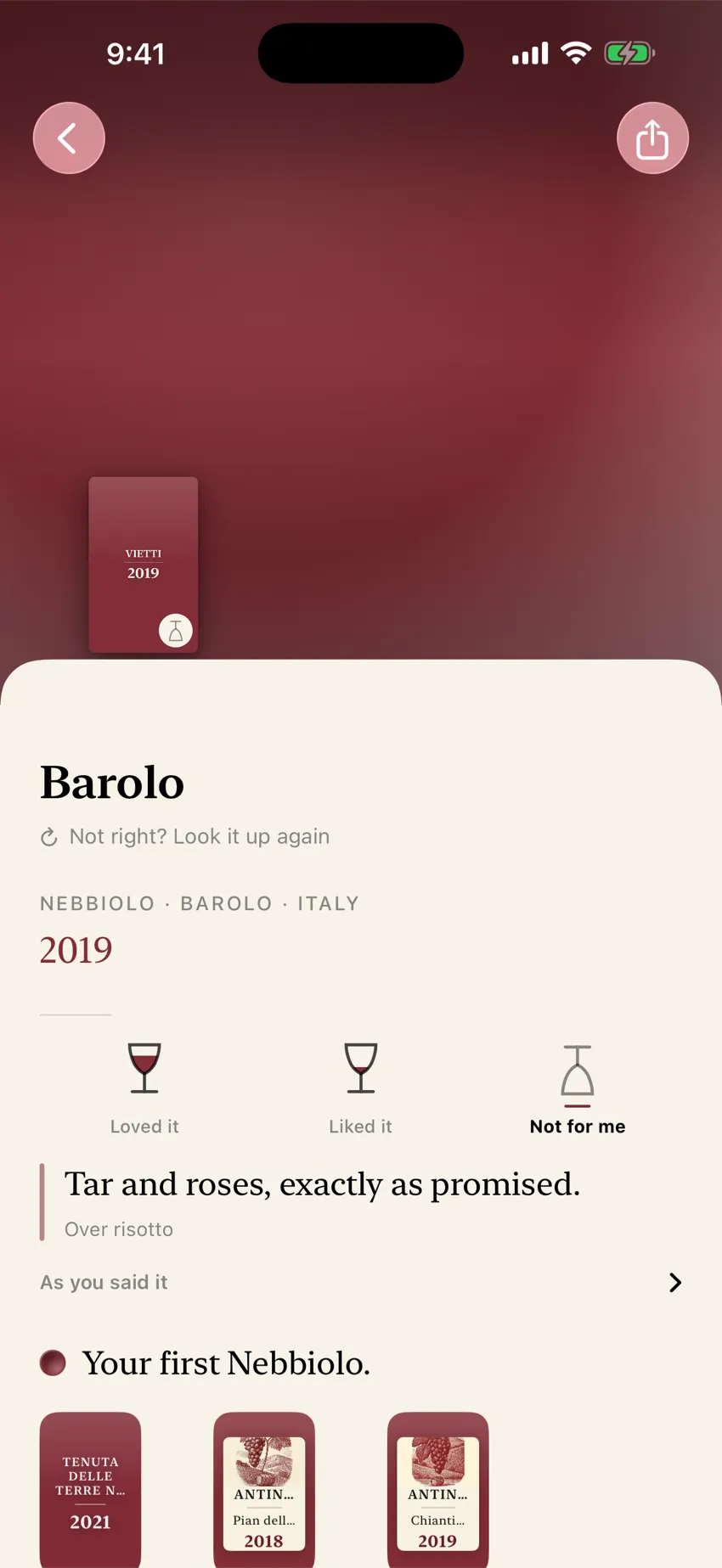
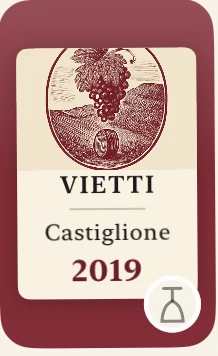
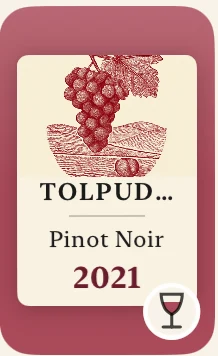
Engraved plates Punt draws for bottles on your shelf.
Punt keeps a story of place and making beside your note. It does not rewrite your words into critic-speak. There is no feed, no followers, and no drinking streak.
Offer, stated plainly
- Identification and saving: free and unlimited
- First twelve successful drawings: free
- “Draw every bottle”: optional one-time in-app purchase (US$29.99; local App Store pricing applies) for continued drawings
- Not a subscription
- Saving, remembering, and export stay available without that purchase
- Your bottle library stays on the iPhone. There is no Punt cloud backup
- Sign in with Apple is optional and is not a backup
- Requires iPhone. iOS 18 or later
Label photographs leave the phone when Punt identifies a wine. Spoken notes leave when they are transcribed. The wine’s name and facts leave when Punt draws its pictures. Opening Next can also send bottle facts and your reactions, without photographs or your notes. The privacy page names every processor and what leaves the device.
Settings exports a text file of the bottles and notes on this phone. It does not include the label photographs. Punt has no third-party analytics or advertising SDK in the app. This website uses Google Analytics only after a visitor allows it, and it measures the website rather than anyone’s wine library.
Paper notebooks and Apple Notes remain good tools. Punt is for people who want the label, the night, and their own words in one private shelf they can search later.
Disclosure
This page is written by Punt. Paper journals and other apps named for comparison are independent products. We are not affiliated with Wine Folly, Moleskine, Apple, or Vivino.
Remember the bottle
Keep one bottle from a night you already loved
Download Punt, photograph one label you already care about, and write the line only you would write.
Identification and saving are free. Your first twelve successful drawings are free; after that, one US$29.99 purchase draws every bottle. Local App Store pricing applies.
Download PuntQuestions
Do I need formal wine tasting notes?
No. Formal structure helps careful tasting. Personal memory usually needs identity, reaction, and one honest line.
Is a paper wine journal better than an app?
Neither is automatically better. Paper is pleasant and distraction-free. An app wins if you need search, a label photo, and retrieval together.
Can I keep tasting notes in Apple Notes?
Yes. Put the label photo and your words in the same note, titled with producer, wine, and vintage.
What should I write if I don’t know wine vocabulary?
Use ordinary words: bright, soft, peppery, too oaky, good with the fish. The short primer on this site is wine tasting notes in your own words.
Does Punt require a subscription for tasting notes?
No. Identification and saving stay free. The first twelve successful drawings are free. Continued drawings are an optional one-time purchase, not a subscription.